Table of Contents
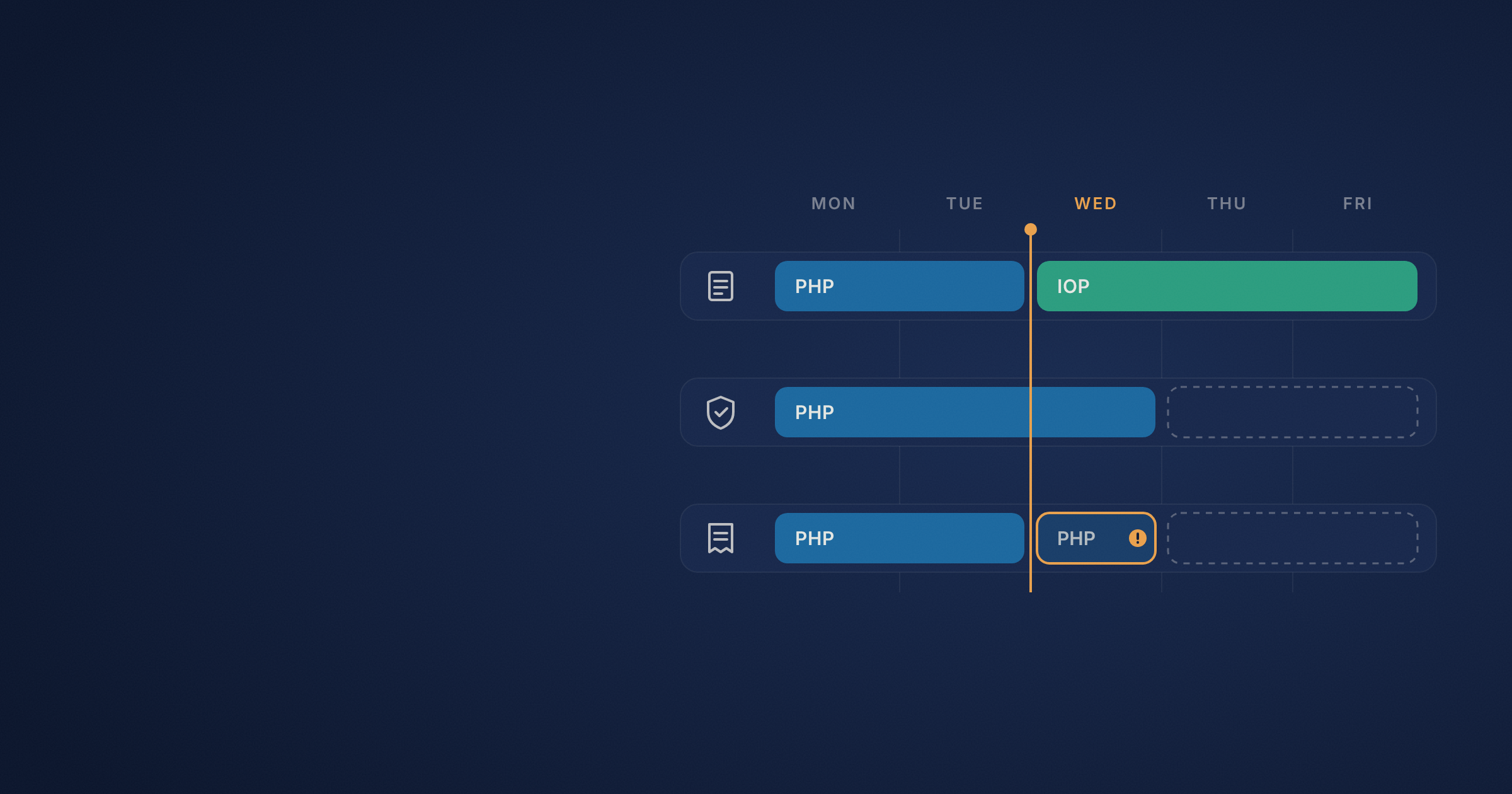
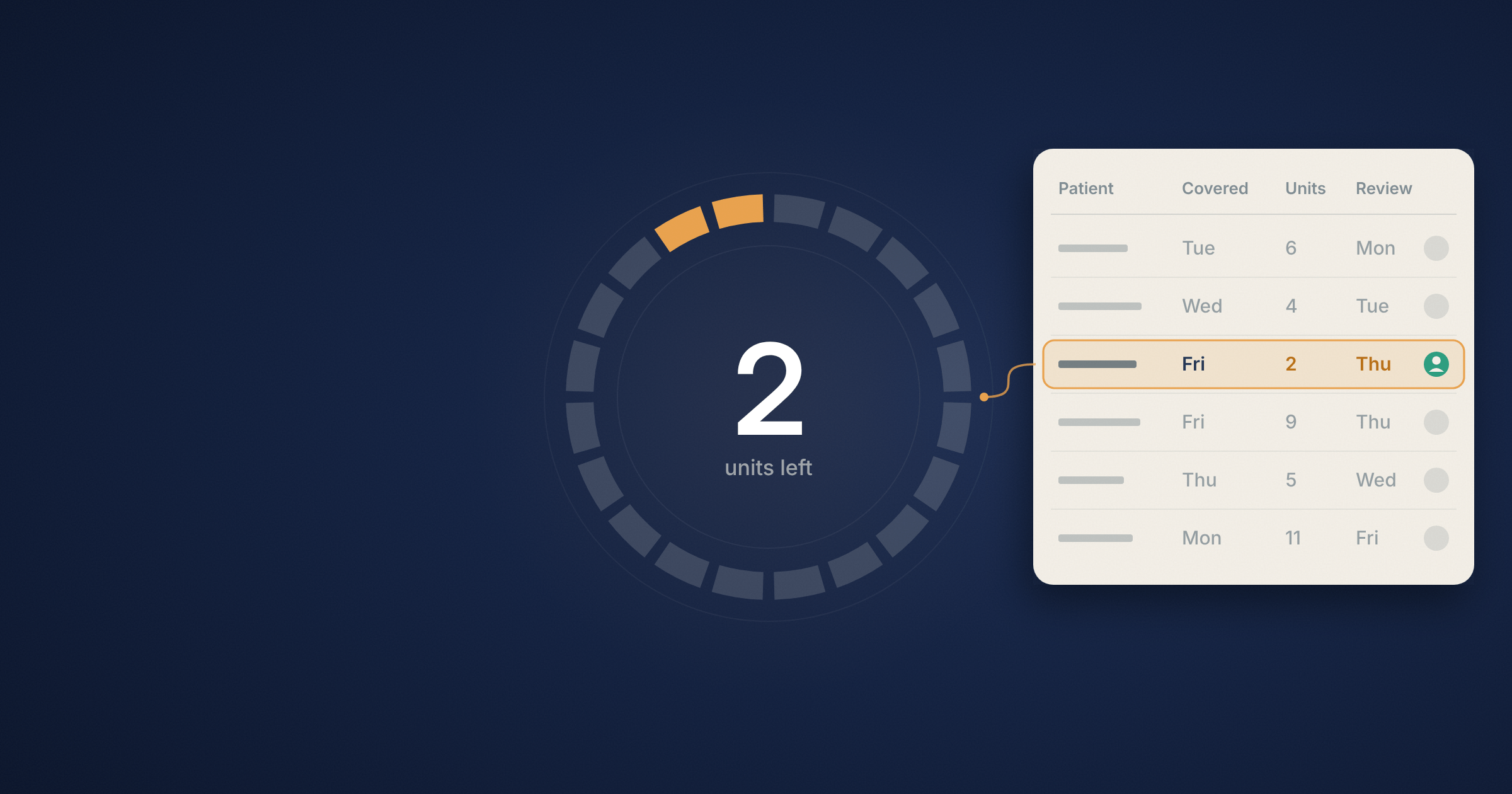
Two units left. The last covered day is Friday. Next appointment is Monday.
If you’re handling the utilization review queue, where should you begin? You might check whether Thursday’s attendance has been counted, look in the payer portal for a decision, or ask the clinician whether they’ve finished the concurrent review update.
What you do next depends on what’s due and who is responsible. An authorization tracker should show this information first. At Circle Health, teams often discuss the last covered day, how much of the authorization is used, and when the next review is due. Each detail answers a different question. Together, they make it easier to work the queue without piecing the case together.
Start with what’s due today.
Imagine you have five reviews due today. One payer wants a call this morning, another allows a portal submission later, and a third review needs a clinician’s update first. Even if all patients have the same last covered day, you’ll still need to handle these reviews in a different order.
Begin with the payer’s deadline and what work remains. If a review needs a clinical update, set an internal due date so your team has time to review and submit it. Record that date separately. When you see “due Thursday,” it should be clear whether the clinician needs to finish the update by then or the payer expects the request.
So, an IOP or PHP authorization tracker should include four key things: what’s due, who is responsible, how many units are left, and the effective date.
| Field | What it tells the team |
| Last covered day | The last service date included in the current authorization. Record it from the payer’s decision. |
| Units or days remaining | How much of the authorized quantity remains, where applicable, and the date through which the count was reconciled. |
| Next review due | When the payer expects the next submission or review, if required, and what needs to happen by then. |
| Internal due date | When your team needs the clinical update or other material in hand to complete the review on time. |
Place the next action and who is responsible somewhere visible, so no one has to open the chart. For example, “Clinical update due this morning. UR will review and submit through the portal this afternoon” gives the team a clear plan for the day.
Record who has the request
“Pending” might mean the clinician is finishing a note, the utilization review team is preparing the request, or the payer has it. Each situation needs a different follow-up.
For an initial authorization, note the requested level of care, the start date, how the plan wants the request submitted, and the auth number once you get it. For concurrent review, keep the current authorization visible and track the new request separately. This helps reviewers see which dates are already authorized and which are still under review.
Here’s an example of how this could look on a Thursday morning. The dates and payer response are made up. Use this to see how a tracker can keep the request, response, and next step together.
| Field | What the reviewer sees |
| Current authorization | IOP authorized through Friday. Auth number and payer decision saved in the UR record. |
| Units remaining | Two through Wednesday. Thursday’s attendance still needs reconciliation. |
| Concurrent review | Continued-stay request submitted Wednesday through the payer portal. Submission confirmation saved. |
| Status | Awaiting payer decision on the request for services starting Monday. |
| Next action | Assigned UR reviewer checks the portal Thursday at 2 p.m. and updates the program and billing teams. |
If the portal still shows the request as pending at 2 p.m., note that check and the next follow-up. This way, whoever covers Friday morning can see when the team last checked and what to do next.
Reconcile units against attendance and services delivered.
If someone says a patient has two units left, ask how they got that number. Did the team use the schedule, check attendance, or match the services documented through the last completed day?
Begin by checking how the plan defines the authorized quantity. Record the payer’s terms, whether that’s days, visits, or units. If a patient misses part of a day or is out sick, review the service record and the rules before updating the balance. If you haven’t finished the check, record the count through the last reconciled date and assign the follow-up.
The Carelon Massachusetts provider addendum shows a plan-specific example where quantities and time windows appear together in level-of-care guidance. This is a good reason to keep both visible. If the last covered day is Friday and there are units left, check with the plan to see how it handles unused units and what’s needed for services after Friday.
Ask for the update the review needs. Begin with the question, then make your request specific.
“Can you update the chart for insurance?” is a tough request to answer. The clinician may have signed several notes since the last review. Which part of the clinical picture needs more detail?
Tell them the review period and the specific question.
The last review was Tuesday. Can you document what has changed since then and your assessment of the patient’s current level of care?If what’s missing is progress toward a treatment goal or a change in functioning, say so. Highmark’s concurrent review guidance asks for new or updated clinical information since the last review. Oklahoma Complete Health’s PHP checklist shows how one plan asks about treatment progress, symptoms, and functioning. Follow the instructions that fit your case.
This is where Circle Health’s utilization management tools come in. We help teams collect the right chart information, flag gaps for staff to check, and prepare authorization and continued-stay materials for review. The clinician gives the assessment, and the UR team checks the materials and manages the request with the payer.
Check the effective dates before you mark it approved.
Back to Monday’s appointment. The payer responds Friday. The team requested a Monday start, and the decision lists Tuesday.
Enter Tuesday as the effective date and leave Monday open for follow-up. If you only mark the request as “approved,” the person reviewing Monday’s service will have to open the determination to see when the approval starts. The San Diego County Mental Health Plan’s IOP and PHP authorization form shows this distinction in practice. Its determination section records what was authorized and the start and end dates.
Share a quick update with the program and billing teams. Keep it short and make sure the decision is clear.
New IOP authorization starts Tuesday. Monday’s authorization status still needs review. UR will follow up with the plan and share the response.Take the same approach when stepping down from PHP to IOP. Confirm the last PHP service date and the first IOP service date with the program. Check what the plan needs for the new level of care, then share the effective date and details of any decision. Billing can use this information to review charges against services delivered. The clinical team decides on care based on the patient’s needs.
Work your own queue.
Choose three entries: one authorization ending soon, one request awaiting a decision, and one approval that arrived yesterday.
Can you see what’s due first? Can you find the submission confirmation? Can you tell which dates the new approval covers and if an earlier date still needs follow-up?
Fix the first spot where you get stuck. If the balance keeps sending you back to attendance, show the last reconciled date. If “pending” makes you search for who submitted the request, add the submission reference and next follow-up. The goal is for someone to open the tracker tomorrow and get started right away.
FAQs
What should an IOP or PHP authorization tracker include?
Record the level of care, the auth number when available, the authorized dates, and any applicable days or units. Include the next review deadline, current request status, submission reference, and who owns the next action. Date the units balance so the next reviewer knows how current it is.
What is the difference between the last covered day and the concurrent review due date?
The last covered day is the last service date included in the current authorization. The concurrent review due date is when the payer expects the next submission or review, if one applies. Teams can also set an earlier internal due date for the clinical update.
Can unused IOP or PHP units carry over after an authorization expires?
Check the plan’s rules and the payer’s decision. If care is expected to continue after the last covered day, verify whether the plan requires an extension, a concurrent review, or a new authorization request.
How do you count units when a patient misses part of an IOP or PHP day?
Check how the applicable plan defines a unit for that service and compare it with the attendance and service records. If the day still needs review, show the balance through the last reconciled date and assign the follow-up.
What should utilization review do when a continued-stay request is pending?
Record when and how it was submitted, where the confirmation is saved, and who will follow up. Tell the program and billing teams which dates the current authorization includes and which are awaiting a decision.
Does stepping down from PHP to IOP require a new authorization?
It depends on the plan and service. Verify whether the payer requires a separate IOP authorization, an update to the existing authorization, or another action. Record the effective date and scope of any new decision and share it with the program and billing teams.